Customer portal
Your customer always knows where they stand.
"What time is my pickup?" and "who is my driver?" are calls your office should not have to take. Every Chauffrapp booking has a link the customer can open any time — it shows the trips, the chauffeur once assigned, the flight, the price and anything owing, and it stays up to date as the booking changes.
Included in Pro and Enterprise
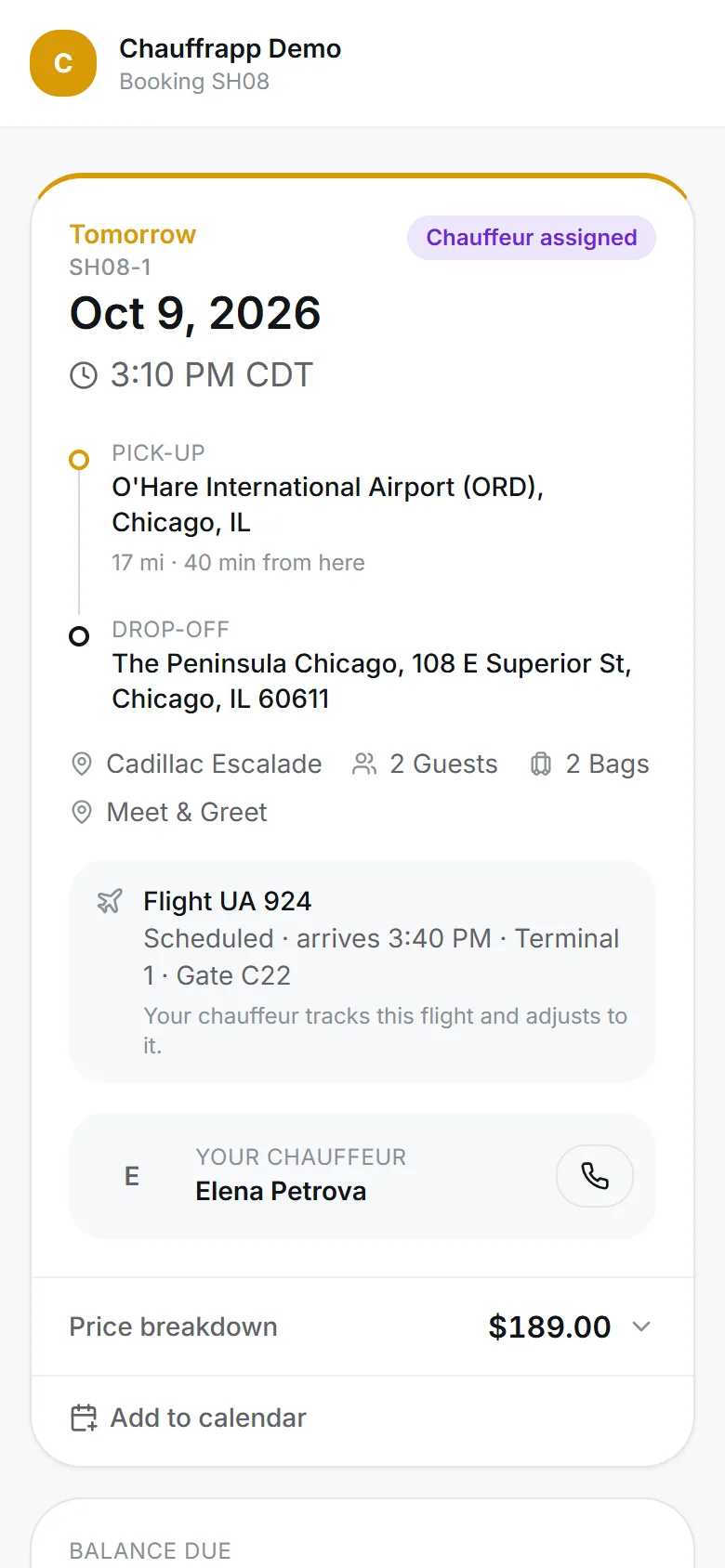
A booking link that stays true
Built from the booking every time it is opened — so a changed time, an assigned driver or a delayed flight is already there. No account needed to read it.
- Countdown to pickup, journey, vehicle and passengers
- Chauffeur’s name and a call button once assigned
- Flight status on airport trips
- Add to calendar, and pay any balance by card
An account for regulars
Customers who ride often can create an account from their booking link to see every trip, keep receipts, save places and book again without typing it all out.
- Past and upcoming trips in one list
- Saved addresses and saved cards
- Rebook a previous trip in a couple of taps
- A record of who signed in and when, for your office
Who it’s for
Customer portal for every kind of operator
Questions
About customer portal
Does a customer need an account to see their booking?
No. The booking link works without signing in. An account is optional, for customers who want their history in one place.
Can someone guess a booking link?
No. Each link contains a long random code that cannot be worked out from the booking number, and the pages are hidden from search engines.
Works with
Part of one system
Payments & invoicing
Card payments, deposits, saved cards, invoices and balance tracking — reconciled to the trip.
Learn moreAutomated SMS & email
Confirmations, reminders and status messages sent for you — from your own name.
Learn moreQuotes & reservations
From enquiry to confirmed booking in one place, with every trip on the order.
Learn moreSee customer portal with your own fleet.
Book a demo and we will set it up with your fleet and your rates, and walk your team through it.