Flight tracking
The flight lands late. Your chauffeur already knows.
Airport work lives and dies on timing. Add a flight number to a trip and Chauffrapp keeps watching it — showing the estimated arrival, terminal and gate on the trip and the dispatch board, and flagging the trip when the flight changes.
Included in Enterprise
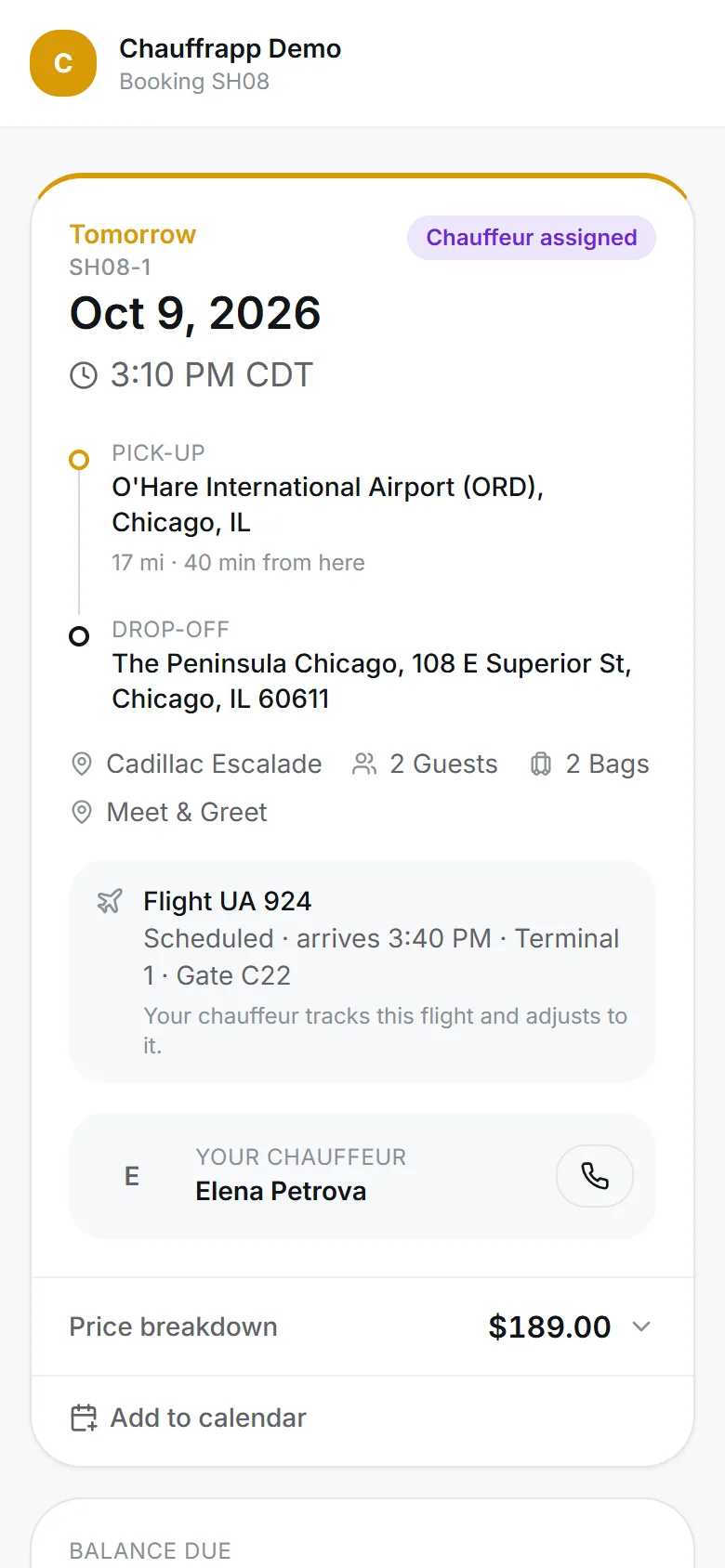
On the trip, where the decision is made
Flight details sit on the airport pickup itself — in the console, in the dispatcher app, on the driver’s phone, and on the customer’s own booking page.
- Status: scheduled, in the air, landed, delayed, cancelled
- Estimated arrival, terminal and gate
- Departure and arrival airports with scheduled and actual times
Watched, not looked up
A background watch checks flights on upcoming pickups and raises the change, so a delay is something you are told about rather than something you discover at the kerb.
- Flight changes surfaced on the trip and the dispatch board
- The customer’s booking link shows the latest status too
Who it’s for
Flight tracking for every kind of operator
Questions
About flight tracking
Do I need my own flight-data account?
No. Flight tracking is included on plans that have it — you add the flight number to the trip and the rest is handled.
Works with
Part of one system
Dispatch
One board for every trip today and tomorrow — assign, track and fix problems before they happen.
Learn moreDriver app
Jobs on the driver’s phone — accept, navigate, update status, done.
Learn moreAutomated SMS & email
Confirmations, reminders and status messages sent for you — from your own name.
Learn moreSee flight tracking with your own fleet.
Book a demo and we will set it up with your fleet and your rates, and walk your team through it.